Calculation guide
How to Calculate Nutrition From a Recipe
A practical guide for turning recipe ingredients, batch yield, and serving logic into per-serving nutrition values that are ready for label review.

Nutrition label workspace
Search ingredients, enter recipe quantities, calculate per-serving nutrition, and turn the result into FDA-style or Canadian label previews without retyping the numbers by hand.
Free to preview. Google sign-in saves your recipes, labels, and workspace settings.
Built for small food teams that need label work organized
Why this works
The workspace is built for the messy middle between a finished recipe and a label file: ingredient data, serving math, label settings, and review details all live together.
Build the recipe, calculate serving nutrition, and review the label output in the same workspace.
Check serving size, label format, ingredient statements, and allergens before you export final files.
Use familiar FDA-style and Canadian label structures for review, packaging mockups, and label planning.
*The % Daily Value (DV) tells you how much a nutrient in a serving of food contributes to a daily diet. 2,000 calories a day is used for general nutrition advice.
Use cases
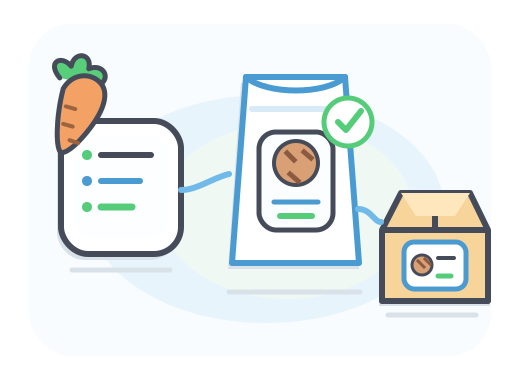
Use it when the recipe is real enough for packaging work, but you still need a practical place to calculate, review, and refine the label.
Move from a finished recipe to a label preview before you hand assets to a designer or printer.
Adjust ingredient quantities, serving details, and label settings without rebuilding the work from scratch.
Store recipes, label previews, ingredient statements, allergens, and business details together.
How it works
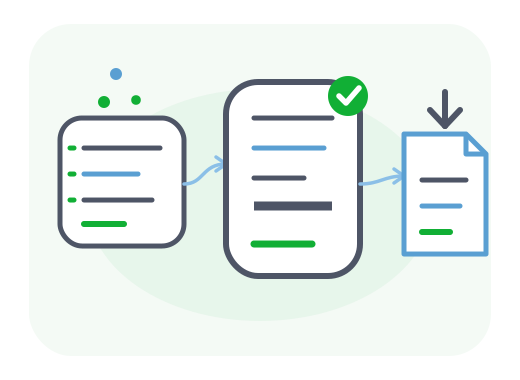
Start from ingredients, calculate the serving values, then keep moving into label review without copying numbers between tools.
Search reference ingredients, add custom records, and set recipe quantities.
Calculate per-serving values from the full batch and adjust serving details before label review.
Preview the Nutrition Facts panel, supporting statements, and export-ready layout when the work is ready.
Workspace
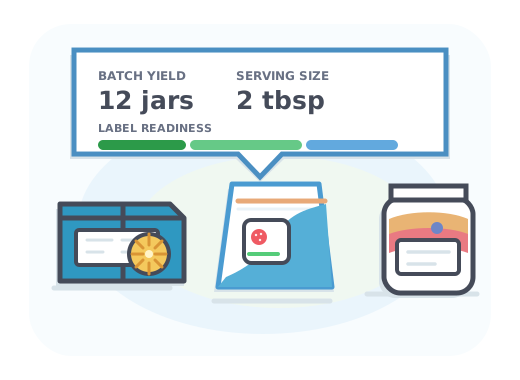
When you do not already have serving values, use the Workspace to search ingredients, calculate nutrition from a recipe, and send the result into the label workflow.
Look up ingredient data, add items to a recipe, and set quantities without leaving the site.
Turn a batch recipe into serving-level values you can actually review before you export anything.
Move from recipe math into the Nutrition Facts panel workflow without retyping the final numbers by hand.
Have nutrition values?
Enter verified per-serving values and preview a Nutrition Facts label without rebuilding your recipe.
Create a nutrition labelNeed to calculate values?
Start with ingredient quantities and a serving plan before moving into label review.
Calculate recipe nutritionWorkspace tools
Nutrition labels rarely stop at calories and macros. The workspace keeps supporting details near the label preview so the final review is easier to manage.
Find USDA reference ingredients and keep custom ingredients for repeat recipes.
Choose format, optional nutrients, logo, barcode, and display controls.
Draft ingredient lists, allergen statements, facility statements, and bioengineered disclosures near the label preview.
Track ingredient, packaging, labor, overhead, and margin inputs while the recipe is still being prepared.
Start now
Sign in with Google to save recipes, label settings, ingredient statements, and export-ready previews in one place.
Guides
Start with practical guides for Nutrition Facts labels, FDA-style review, and recipe-to-label preparation. Then move into the workspace when your numbers are ready.
Calculation guide
A practical guide for turning recipe ingredients, batch yield, and serving logic into per-serving nutrition values that are ready for label review.
Step-by-step guide
A step-by-step guide for small food brands learning how to make a nutrition label and turn recipe data into a Nutrition Facts label preview.
Features
Start with the first feature page to understand how the workspace connects recipe math, Nutrition Facts preview, ingredient statements, and allergen review.
Feature overview
A practical feature overview for teams that need to move from recipe inputs into a Nutrition Facts label preview without splitting the workflow across disconnected tools.
Turn recipe inputs into serving-level review values
FAQ
Yes. You can build and preview in the workspace for free. A paid plan is required to save recipes and export high-resolution files.
You can use the exported files in your packaging workflow, but you are responsible for the accuracy of your nutrition data and final packaging compliance.
The layout is FDA-style and built around FDA formatting guidelines. It is not legal, nutritional, or regulatory advice.
Yes. Use the Workspace to search USDA ingredients, enter quantities, calculate per-serving nutrition, and move the result into the label workflow.
Free users can download a watermarked preview PNG. Paid exports include high-resolution PDF and PNG files.
Google sign-in is required for saved recipes, subscriptions, and high-resolution exports.
Lite includes 15 saved recipes, Pro includes 50, and Max includes 200. Paid plans can download high-resolution PDF and PNG labels without a download limit.